Tutorial
Add Content Optimization to Self-Hosted OpenSEO (5-Minute Setup)
By Eric Lancheres · July 27, 2026
What this adds to OpenSEO
OpenSEO is the open-source alternative to Semrush and Ahrefs: keyword research, backlinks, rank tracking, and site audits on your own infrastructure. I reviewed it in depth here. What it doesn't try to do today is tell you how to improve a specific page's content for a specific keyword.
That's the gap this module fills. I built a Content Optimization page for my own self-hosted OpenSEO install and I maintain it publicly for anyone who wants it. Full disclosure up front: the module runs on On-Page.ai, which is my API. It's bring-your-own-key, exactly like OpenSEO's DataForSEO setup.
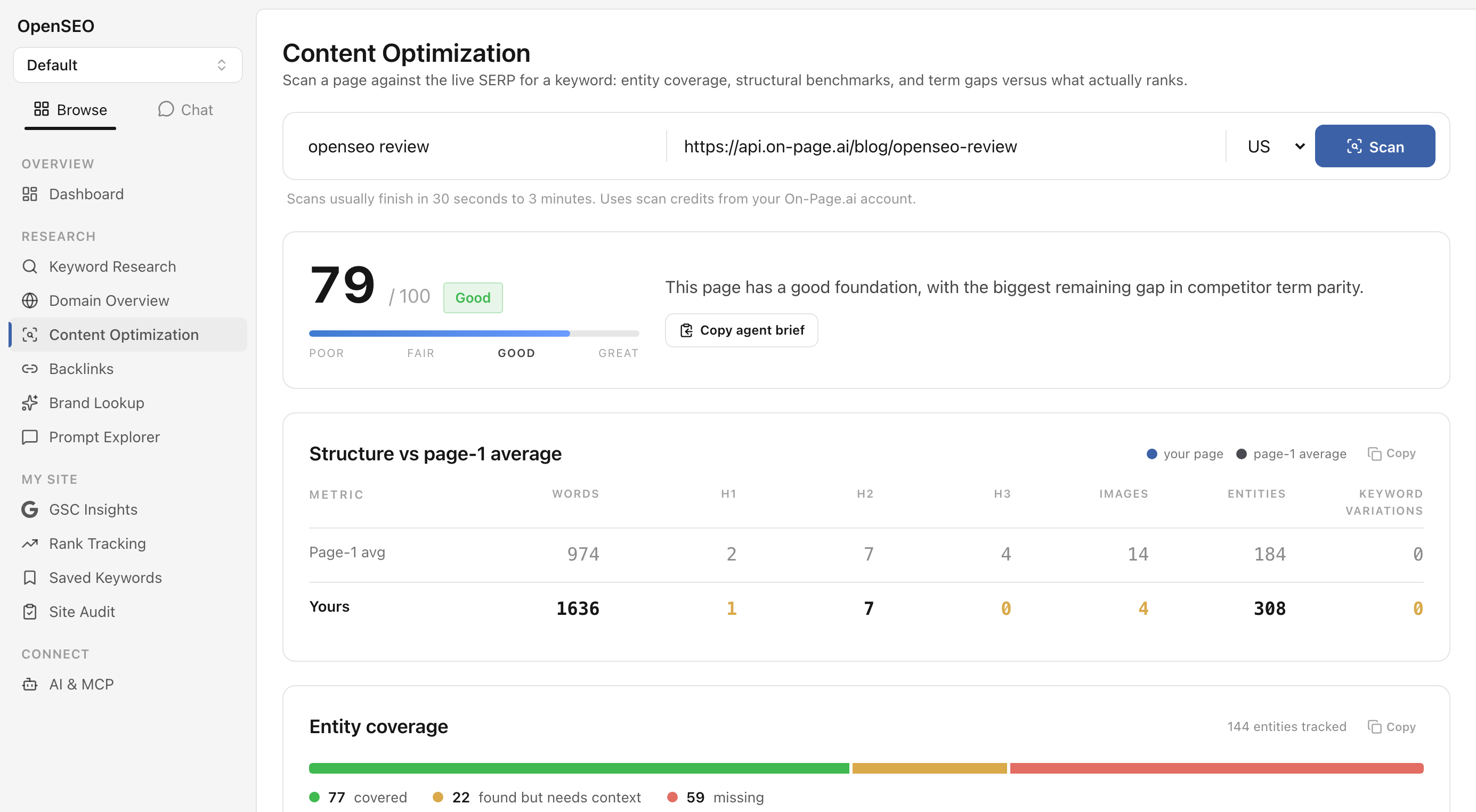
Point it at any URL and a target keyword and you get, scored against the pages actually ranking on Google right now:
- An on-page optimization score with a plain-language summary
- Entity coverage: which concepts the ranking pages establish that your page is missing, weighted by importance, with a click-to-copy worklist
- Structure benchmarks: your word count, headings, images, and entities next to the page-1 average
- Competitor term coverage: every term the top pages use, with your count vs theirs
- Your page's Google category vs the categories of the pages that rank
- Topical authority questions, a suggested title, and internal link opportunities
- A one-click “agent brief”: the whole report as markdown you can paste into Claude, Cursor, or any agent to execute the fixes
It also registers two MCP tools (run_content_scan, get_content_scan), so the same scans work from OpenSEO's SAM chat or any agent connected to your install.
Install
The module lives on a maintained fork that tracks upstream OpenSEO. Everything else is unchanged, and it adds zero npm dependencies (the lockfile is identical to upstream).
git clone https://github.com/lanpublications/open-seo.git
cd open-seo
cp .env.example .env   # add your DataForSEO key
docker build -f Dockerfile.selfhost -t open-seo:local .
OPEN_SEO_IMAGE=open-seo:local docker compose up -d
Then open http://localhost:3001. One detail matters: build the image locally as shown. A plain docker compose up -d pulls the upstream prebuilt image, which does not include this module.
Already running upstream OpenSEO? Add the fork as a remote and merge the branch instead; it applies cleanly.
Connect your account (a few minutes the first time)
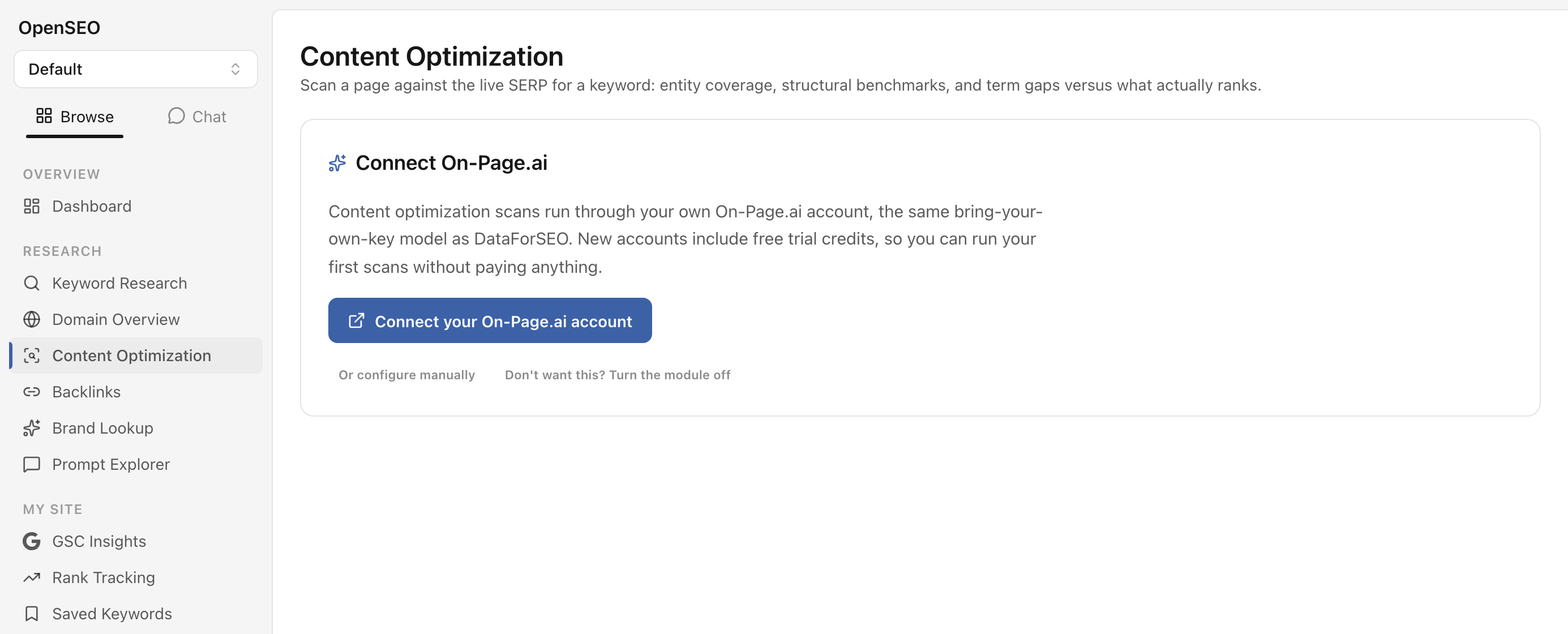
- Open Content Optimization under Research in the sidebar.
- Click Connect your On-Page.ai account.
- A tab opens on api.on-page.ai: sign up (or sign in) and approve the connection.
- That's it. The key is delivered and stored automatically; no env editing, no restart.
Prefer configuration as code? Set ONPAGE_API_KEY in your env instead; the env var always wins.
Run your first scan
Enter a URL you care about and the keyword you want it to rank for, pick a Google country (27 supported), and hit Scan. Reports take 30 seconds to 3 minutes and persist to your OpenSEO database, so your scan history is always a click away and reopening a report costs nothing.
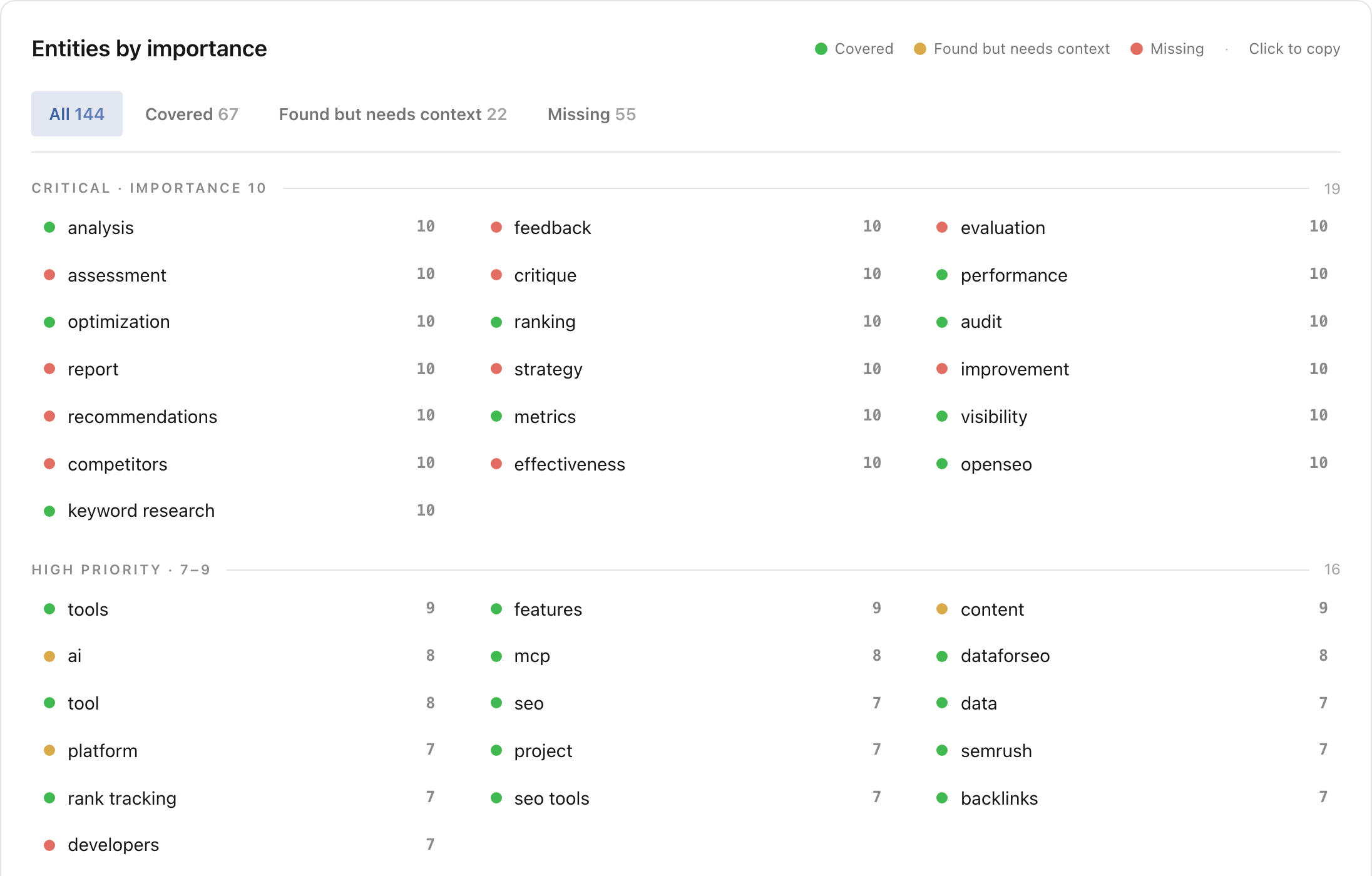
Start with the entity worklist: it's sorted by importance, and the “missing” entities at importance 10 are usually the fastest wins. Click any entity to copy it, or copy the whole section into your editor or agent.
If you don't want it
The module is optional end to end. Without a connected account it stays dormant. And if you'd rather not see it at all, switch it off under Settings > Features and the sidebar item disappears everywhere.
FAQ
Does this modify OpenSEO's core? No. It follows OpenSEO's own connector patterns (the same shape as the Google Search Console integration), adds no npm packages, and everything is additive.
What does it cost? The module is free and open source under OpenSEO's MIT license. Scans use credits from your On-Page.ai account; see Pricing for what credits cost.
Who maintains it? I do. The fork is rebased against upstream OpenSEO continuously, with upstream's own CI checks kept green.