
 Free macOS app for SEO and GEO agencies
GEO SEO SuperApp
Move from keyword and URL to a finished audit, optimization, crawl, monitoring plan, or indexation workflow in one focused desktop workspace.
Apple silicon · Signed and notarized for macOS
The app is free.
Your connected services stay yours.
There is no separate SuperApp subscription. Connect your ChatGPT account and On-Page.ai for the core workflows, then add Search Console, Bing, Cloudflare, browsers, social accounts, or client sites only when the work requires them. Each connected service retains its own plan and usage terms.
Work by objective
Start with what you need to accomplish.
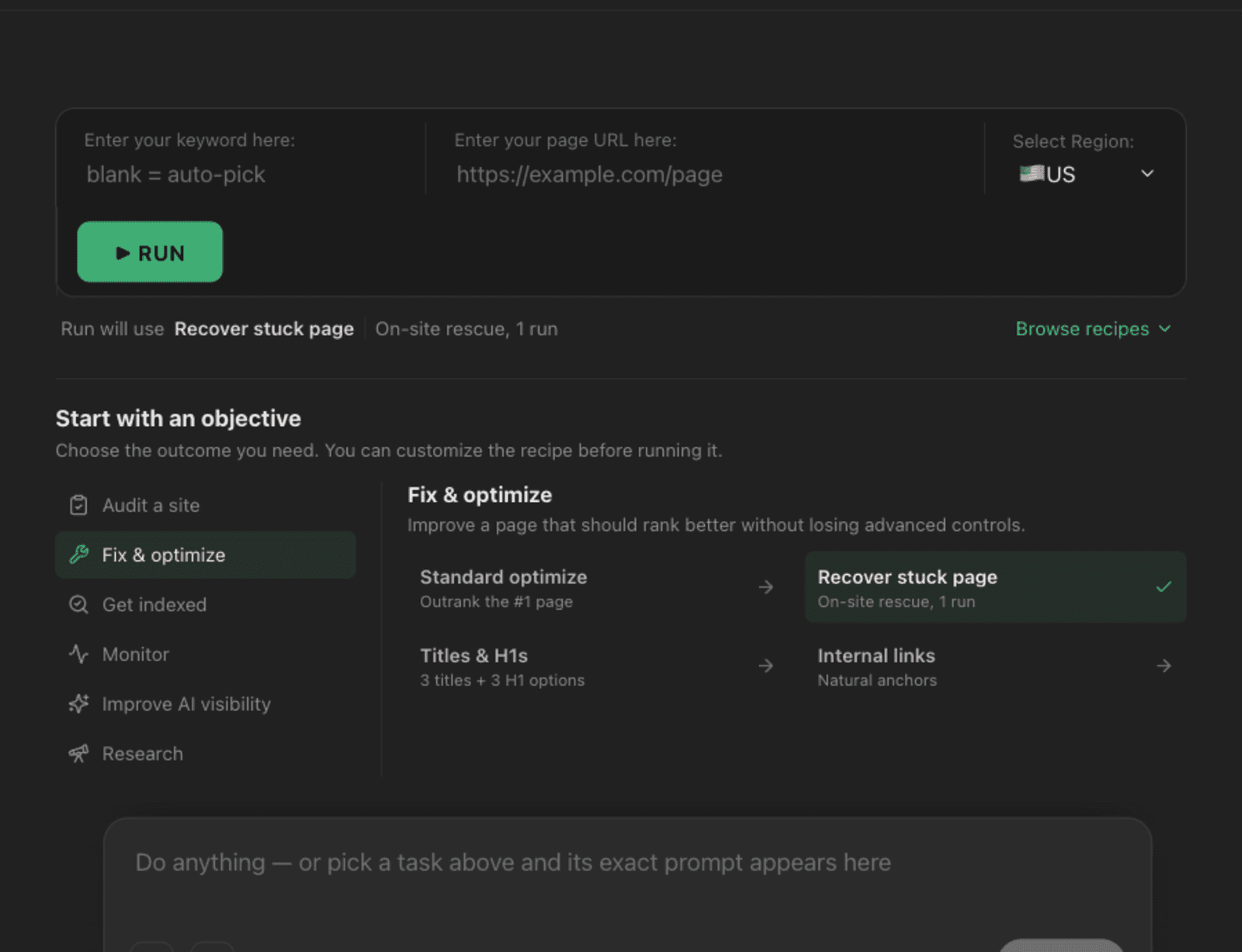
Choose a guided objective or open the full recipe catalog when you need exact control. The selected workflow always shows what it will do before you run it.
Audit and optimize
Turn a keyword and URL into an evidence-backed report, prioritized fixes, or a guided optimization workflow.
Crawl and diagnose
Inspect technical issues across a site, compare crawls, and send important findings into deeper analysis.
Measure and monitor
Use Search Console, scheduled scans, and browser QA to follow the pages and changes that matter to clients.
Index and publish
Manage sitemaps, URL submissions, indexation evidence, social publishing, and connected sites from one workspace.
Technical SEO
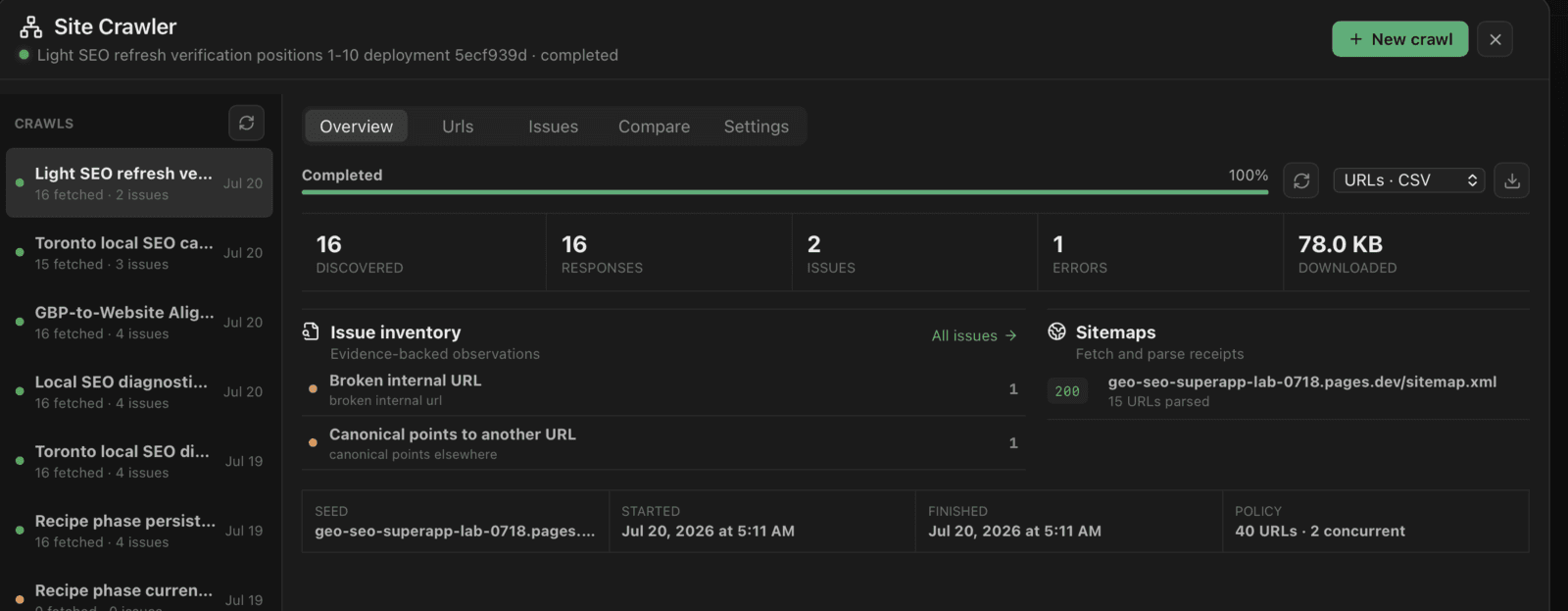
Crawl the site, then act on the evidence.
Run local crawls, compare results, review issue inventories, inspect structured data and sitemaps, and send selected pages into focused recipes without rebuilding context.
Search and indexation
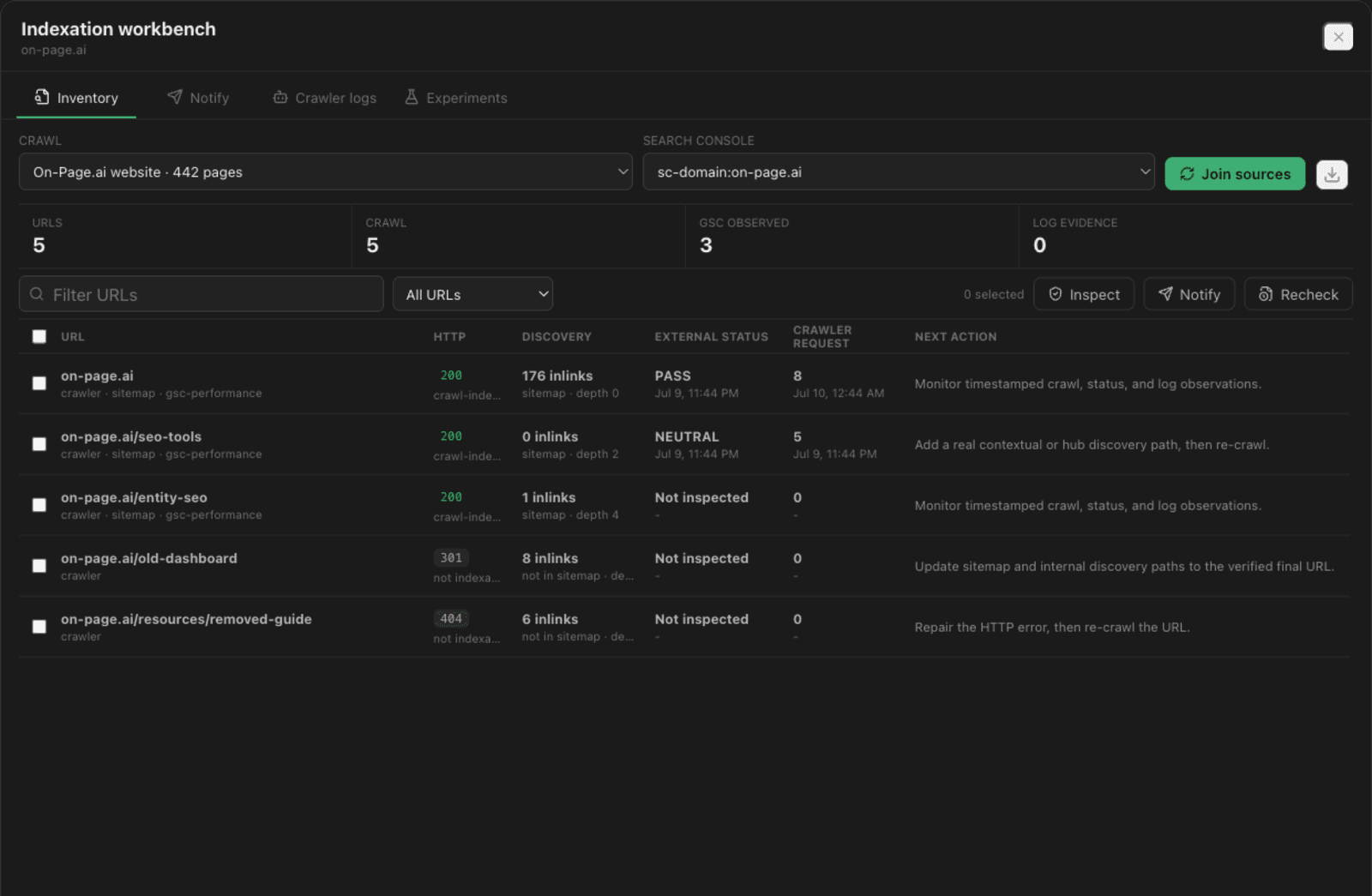
Keep the submission and evidence trail together.
Connect Google Search Console and Bing Webmaster Tools, manage sitemaps and URL submissions, and compare crawler, provider, and server-log observations without treating a submission as a guaranteed indexing outcome.
First-run setup
Start with the essentials. Add the rest later.
- 01
Connect the AI
Sign in with the ChatGPT account you already use. The app runs its agent through Codex.
- 02
Connect On-Page.ai
Add the SEO data used for entities, categorization, competitive evidence, content depth, and information gain.
- 03
Add tools when needed
Search Console, Bing, Cloudflare, browser profiles, social accounts, and client sites remain optional.
Free desktop workspace
Bring your agency workflows into one app.
Download the signed macOS installer, connect the services you already use, and keep each client project organized locally.